Skitch alternatives in 2026
Skitch is Evernote's app for marking up screenshots and images with arrows, shapes, text and quick sketches. Evernote said in December 2015 that it would end Skitch for Windows, Windows Touch, iOS and Android and keep offering Skitch for Mac, and skitch.com now opens Evernote's home page. If you need a Skitch replacement on Windows, a phone or a Chromebook, or want a tool with a current download page, the eight options below do the same quick markup.
Try Markup Hero Free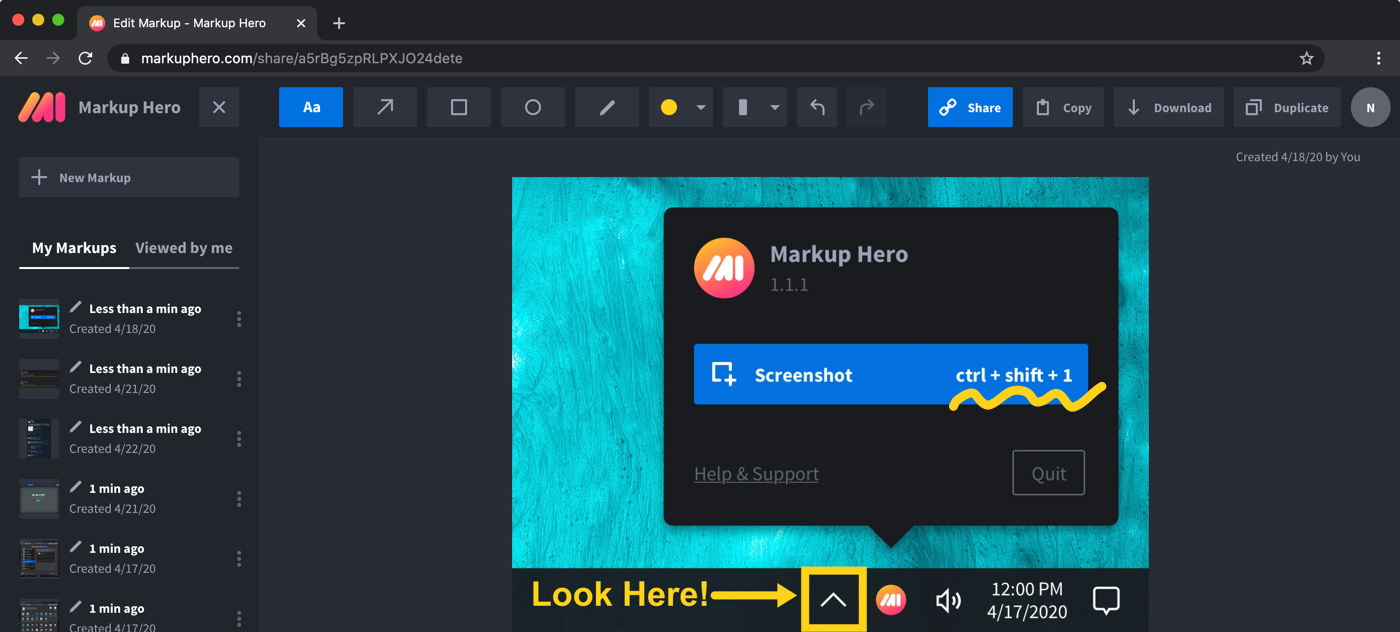
The options at a glance
Checked on November 12, 2026.
Skitch: what it is and what Evernote changed
Skitch is an annotation app from Evernote. Its product page summed it up as a way to get your point across with fewer words using annotation, shapes and sketches. In December 2015, Evernote said it was ending support for Skitch for Windows, Windows Touch, iOS and Android, with no more updates and no downloads after January 22, and that it would continue to offer and support Skitch for Mac.
Evernote's Skitch page still offered a Mac download in January 2024. As of November 2026, skitch.com and that old page both open the Evernote home page, while Evernote's help center still names Skitch among its apps. Our Markup Hero vs Skitch comparison has more detail.
- Good for: Mac users who already have Skitch installed and like a native Mac editor.
- Not for: Windows, iPhone, iPad or Android users, since Evernote ended those versions in 2016.
What to check before you pick a Skitch replacement
Most people used Skitch for one job: grab part of the screen, add an arrow and a few words, and send it. Three questions narrow the list quickly.
- Which computers and phones? Snipping Tool is for Windows, CleanShot X and the macOS tools are for Macs, and Markup Hero runs in any modern browser.
- Do your images live in Evernote? Then Evernote's own annotation tools may be all you need.
- Do you also want screen recording? ShareX, Snagit, CleanShot X, Snipping Tool and the macOS Screenshot app record video. Markup Hero does not.
Markup Hero: Skitch-style markup in any browser
Markup Hero is a screenshot and annotation tool that runs in any modern desktop, mobile or tablet web browser. Free screenshot apps for Mac, Windows and Linux (beta) open each capture in the browser editor, with a default shortcut of Command+Shift+1 on Mac and Ctrl+Shift+1 on Windows. A free Chrome extension takes screenshots of any tab, including full page screenshots. You add text, arrows, shapes, pen, highlighter and blur, mark up multi-page PDFs, and share a link that others can annotate too.
The free Basic plan allows 25 markups, with annotations editable for 24 hours and 8 MB per upload. Premium is $10/month, or $3/month billed yearly ($36/year), and Lifetime is $199 one-time. You can try it now without an account.
- Good for: replacing Skitch on Windows, a Chromebook or a phone browser, and sharing markups by link.
- Not for: screen recording or offline editing. It has neither, and there is no native iPhone, iPad or Android app.
Evernote annotation: Skitch's tools inside your notes
If your screenshots already live in Evernote, the closest replacement is Evernote itself. When it retired most Skitch versions, Evernote said Skitch users would find nearly identical annotation functionality in its apps. Today its help center says you can annotate and edit images and PDFs with lines, shapes, arrows, text and more, plus stamps such as Approved and Rejected.
On desktop and web, click an image in a note and select the brush icon; on mobile, open the image, tap the three-dots menu and choose Edit and annotate. Evernote lists apps for iOS, Android, web, Windows and Mac and has a free plan. See Evernote's annotation guide.
- Good for: people who keep screenshots, images and PDFs in Evernote notes.
- Not for: people who do not use Evernote and only want a quick capture tool.
macOS Screenshot and Markup: built into every Mac
A Mac can capture and mark up the screen without extra software. Shift-Command-3 captures the whole screen, Shift-Command-4 a portion, and Shift-Command-5 opens the Screenshot app, which can also record the screen. Click the thumbnail that appears in the corner to edit the screenshot. Markup lets you write, sign, draw on, crop or rotate PDFs and images, and it also appears in Preview, Mail and Notes. Apple's guide to taking screenshots on Mac lists every option.
- Good for: Mac users who want the Skitch routine with nothing to install.
- Not for: Windows or Chromebook users.
Snipping Tool: the free Skitch alternative for Windows
Snipping Tool is a free Microsoft app for Windows 11 and Windows 10. Press Windows logo key + Shift + S to capture a rectangle, freeform shape, window or the full screen; on Windows 11, Windows logo key + Shift + R records a video clip. You can draw with the pen and highlighter, add shapes, copy text with Text actions and quick redact emails and phone numbers. For typed text, use Edit with Paint. See Microsoft's Snipping Tool guide.
- Good for: quick captures with a pen or highlighter on any Windows PC, at no cost.
- Not for: Mac or Chromebook users.
Greenshot: free and open source for Windows, with a Mac version
Greenshot is a light-weight screenshot tool for Windows that is completely free and open source. It captures a region, a window or the full screen, and its editor adds rectangles, ellipses, lines, arrows, text and pixelize or blur before you save, print, email or upload the image. It needs Windows 10 or later. A Mac version is on the Mac App Store for $1.99, and the team says there are no plans for a Linux version. See Greenshot.
- Good for: Windows users who want a free editor that works on their own PC.
- Not for: Linux users.
ShareX: free and open source, with screen recording
ShareX is a free and open source screenshot tool for Windows with no account and no advertisements. Its region capture and image editor let you annotate, redact and add callouts, and it also records the screen and GIFs, takes scrolling captures, recognizes text (OCR) and uploads to many destinations, with the link copied for you. Builds for macOS and Linux are in preview. See getsharex.com or our Markup Hero vs ShareX comparison.
- Good for: Windows power users who want free recording and custom upload workflows.
- Not for: people who want a simple Skitch-like app on a Mac; the Mac build is still a preview.
Snagit: a paid desktop app for screenshots and video
Snagit, now sold as Camtasia Snagit, costs $39.00 per user per year for Snagit Individual as of November 2026, and it is included in all Camtasia plans. It runs on Windows 10 and 11 and on macOS 14 or newer. You add arrows, callouts, text and markup to each capture, record your screen, microphone, system audio and webcam, and use Step Capture to turn your clicks into a shareable guide. See TechSmith's Snagit page or our Snagit alternatives list.
- Good for: people who make how-to guides and training material and want video in the same app.
- Not for: anyone who wants a free tool.
CleanShot X: a paid Mac app with recording
CleanShot X is designed only for macOS and needs macOS 13.0 or newer; its makers say there are no plans for a Windows version. It lets you mark up details, hide sensitive information and crop, and it records the screen with webcam and audio, takes scrolling captures and copies text from images on your device. CleanShot Basic is $35, pay once, with one year of updates and 1 GB of cloud storage. Pro is $10 per user/mo, billed annually. See our Markup Hero vs CleanShot X comparison.
- Good for: Mac users who want a native app that captures, marks up and records, without a subscription.
- Not for: Windows or Chromebook users.
Frequently asked questions
What is Skitch?
Skitch is an annotation app from Evernote for marking up screenshots and images with arrows, shapes, text and sketches. In December 2015, Evernote said it would end Skitch for Windows, Windows Touch, iOS and Android and continue to offer and support Skitch for Mac. Today skitch.com opens the Evernote home page.
Is there Skitch for Windows?
Not anymore. Evernote ended Skitch for Windows and Windows Touch, with no downloads after January 22, 2016. On Windows, Snipping Tool, Greenshot and ShareX are free, and Markup Hero has a free Windows screenshot app (default shortcut Ctrl+Shift+1) that opens each capture in its browser editor.
What did Evernote replace Skitch with?
Evernote pointed Skitch users to the annotation tools in its own apps. Its help center says you can annotate images and PDFs inside a note with lines, shapes, arrows, text and stamps, on desktop, web and mobile.
Is there a Skitch alternative for iPhone, iPad or Android?
Skitch for iOS and Android ended in 2016. Evernote's own apps for iOS and Android can annotate images in a note. Markup Hero has no native mobile app, but its editor works in mobile and tablet browsers, so you can annotate and share a link from your phone.
What can I use instead of Skitch on a Chromebook?
On a Chromebook, the Markup Hero Chrome extension and browser editor both work in Chrome, so nothing else has to be installed. Evernote's web app can also annotate images and PDFs that are already in your notes.
Which Skitch alternatives can mark up PDFs?
Markup Hero imports multi-page PDFs, adds text, arrows, highlights and signatures, and exports a PDF; see how to annotate a PDF. Evernote annotates PDFs inside a note, and on a Mac, Markup can write, sign and draw on PDF documents.
Prices and features checked on November 12, 2026 on each product's own website: web.archive.org, web.archive.org, evernote.com, help.evernote.com, help.evernote.com, evernote.com, support.apple.com, support.apple.com, support.apple.com, apps.microsoft.com, support.microsoft.com, getgreenshot.org, getgreenshot.org, getgreenshot.org, getgreenshot.org, getgreenshot.org, getsharex.com, getsharex.com, techsmith.com, techsmith.com, cleanshot.com, cleanshot.com. Prices can change; check the vendor's site before you buy.
More comparisons: Markup Hero vs. other screenshot tools.
New and coming soon from Markup Hero
Photo reports are live in SuperHero plans, and two more tools are on the way. Join a waitlist to get early access.
Markup Hero for teams in: