ShareX alternatives, including for Mac
ShareX is a free, open source screenshot and screen recording tool for Windows. Its own site says ShareX for macOS and Linux is in preview on a cross-platform branch, so if you are on a Mac, on Linux or on a Chromebook and want a finished app today, you may want something else. Below are seven tools that run on those computers now, with prices as of November 2026 and what each one does better or worse than ShareX.
Try Markup Hero Free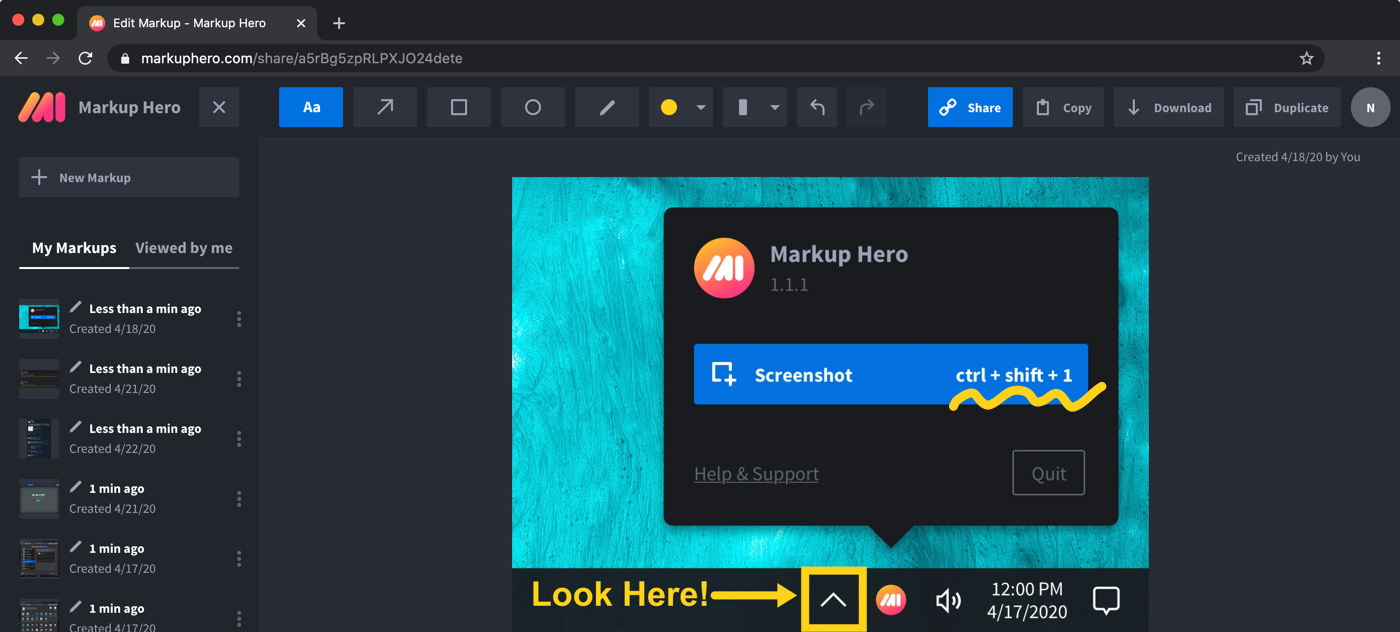
The options at a glance
Checked on November 12, 2026.
ShareX: free on Windows, a preview on Mac and Linux
ShareX is a free and open source screenshot tool for Windows with no account and no advertisements. It captures the full screen, a region, a window or a scrolling page, records the screen and GIFs, recognizes text (OCR), and runs automated after-capture tasks such as uploading to the destination you choose and copying the link. Its image editor lets you annotate, redact, crop and add callouts.
For Mac and Linux, the ShareX site says the cross-platform version is in preview and offers preview builds for Apple silicon, Intel Macs and Linux. Our Markup Hero vs ShareX comparison goes into more detail.
- Good for: Windows users who want free screen recording, OCR and custom upload workflows in one app.
- Not for: people who want a finished Mac or Linux release today rather than a preview build.
What to check before you switch from ShareX
ShareX does a lot for free, so list the parts you actually use before you pick a replacement.
- Do you record the screen? CleanShot X, Snagit and the macOS Screenshot app record video. Markup Hero does not.
- Which computer? CleanShot X and the macOS tools are Mac only, Flameshot runs on Linux, Mac and Windows, and Markup Hero runs in any modern browser.
- How do you share? ShareX uploads to a destination you set up. Check where each tool stores uploads and who can open the link.
Markup Hero: screenshots and markup in the browser
Markup Hero is a screenshot and annotation tool that runs in any modern desktop, mobile or tablet web browser. Free screenshot apps for Mac, Windows and Linux (beta) open each capture in the browser editor, and a free Chrome extension takes screenshots of any tab, including scrolling (full page) screenshots. You add text, arrows, shapes, highlights and blur, copy text from an image with the Magic tool, mark up multi-page PDFs and Google Docs, and share a link with a thumbnail preview.
The free Basic plan allows 25 markups, with annotations editable for 24 hours and 8 MB per upload. Premium is $10/month, or $3/month billed yearly ($36/year), and Lifetime is $199 one-time. You can try it now without an account.
- Good for: Mac, Linux and Chromebook users who want captures, PDF markup and share links without setting up an upload destination.
- Not for: screen recording or GIFs, which it does not do, or offline editing.
macOS Screenshot and Markup: free and already on your Mac
Every Mac can capture and record the screen without extra software. Shift-Command-3 captures the whole screen and Shift-Command-4 a portion. Shift-Command-5 opens the Screenshot app, which can also record the entire screen, a window or a portion, with a timer and a microphone. Click the floating thumbnail to mark up the screenshot or trim the recording, and use Markup to write, sign, draw on, crop or rotate images and PDFs. Apple's guide to taking screenshots on Mac lists every option.
- Good for: Mac users who want free screenshots and recordings with nothing to install.
- Not for: Windows, Linux or Chromebook users.
CleanShot X: a paid Mac app with recording and cloud links
CleanShot X is designed only for macOS and needs macOS 13.0 or newer; its makers say there are no plans for a Windows version. It records the screen with webcam and audio, exports video or GIFs, takes scrolling captures, copies text from images on your device, and uploads a capture to give you a link.
CleanShot Basic is $35, pay once, with one year of updates and 1 GB of cloud storage; renewal is optional at $19 per year. Pro is $10 per user/mo, billed annually. See our Markup Hero vs CleanShot X comparison.
- Good for: Mac users who want ShareX-style capture and recording in a native Mac app.
- Not for: Windows, Linux or Chromebook users.
Snagit: the paid choice on Windows and Mac (ShareX vs Snagit)
Snagit, now sold as Camtasia Snagit, costs $39.00 per user per year for Snagit Individual as of November 2026. It runs on Windows 10 and 11 and on macOS 14 or newer. Like ShareX, it records your screen and takes scrolling screenshots. It also records microphone, system audio and webcam, turns your clicks into a shareable guide with Step Capture, and uses Smart Redact to blur or block emails, phone numbers and credit card details. See TechSmith's Snagit page or our Snagit alternatives list.
- Good for: people who need the same capture and recording tool on both Windows and Mac, or who make how-to guides.
- Not for: anyone who wants a free tool; ShareX itself is free on Windows.
Flameshot: free and open source for Linux, Mac and Windows
Flameshot is a free and open-source, cross-platform screenshot tool. You drag a box over the area you want, then add arrows, highlights, blur or pixelate, text, drawings, rectangle or circle borders and numbered counters on screen before you save. A command line interface lets you script it and bind it to keys, and it can upload screenshots to Imgur.
Downloads are 64-bit only: an installer or portable version for Windows, Homebrew or a .dmg file for macOS, and AppImage, Snapcraft, Flathub or your package manager on Linux. Its docs note that macOS may block it at first and explain how to allow it. See flameshot.org.
- Good for: Linux users, and anyone who wants a free, scriptable capture tool on more than one operating system.
- Not for: Mac users who would rather skip extra setup; its docs walk through allowing the app in Privacy & Security after a Homebrew install.
Greenshot: free on Windows, $1.99 on Mac
Greenshot is a light-weight screenshot tool for Windows that is completely free and open source. Its editor adds rectangles, ellipses, lines, arrows, text and pixelize or blur, and you can save, print, email or upload the result. A Mac version is on the Mac App Store for $1.99, and the team says there are currently no plans for a Linux version. See Greenshot or our Greenshot alternatives list.
- Good for: people who want a simple capture-and-annotate app on Windows and a low-cost Mac version.
- Not for: Linux users.
Lightshot: free quick captures with short links
Lightshot is a free capture tool for Windows and Mac, with browser extensions for Chrome, Firefox, IE and Opera. You can edit a screenshot as you take it or later in its online editor, then upload it to get a short link right away, without an account. Lightshot says it has no app made for Linux yet, though it can run using Wine. See Lightshot or our Markup Hero vs Lightshot comparison.
- Good for: very fast captures you want to send as a link in seconds.
- Not for: confidential images. Its privacy policy says every uploaded image can be viewed by anyone who types in that exact URL.
Frequently asked questions
Is there a ShareX for Mac?
Only as a preview. The ShareX site says ShareX for macOS and Linux is in preview on the cross-platform branch, with preview builds for Apple silicon and Intel Macs. The main ShareX release is for Windows. If you want a finished Mac app today, look at the macOS Screenshot app, CleanShot X, Snagit, Flameshot, Greenshot for Mac, Lightshot or Markup Hero's free Mac screenshot app.
How do I download ShareX on a Mac?
The ShareX dev builds page links to a macOS and Linux artifacts page, where you can download the latest preview build for Apple silicon or Intel Macs. It is a preview build, not a finished release; the main ShareX download is for Windows.
What is a free ShareX alternative for Mac?
The built-in Screenshot app (Shift-Command-5) is free and records the screen too. Flameshot is free and open source and installs with Homebrew or a .dmg file. Lightshot is free, and Markup Hero has a free plan with 25 markups and a free Mac screenshot app that opens captures in its browser editor.
ShareX vs Snagit: which should I use?
ShareX is free and open source for Windows, with screen recording, OCR and custom upload destinations. Snagit costs $39.00 per user per year, runs on Windows and on macOS 14 or newer, and adds Step Capture guides and Smart Redact. If you are on Windows and want free tools, ShareX covers a lot; if you need the same app on a Mac, Snagit is one option.
Is there a ShareX alternative for Linux?
Flameshot is free and open source on Linux, with AppImage, Snapcraft, Flathub and distro packages. Markup Hero has a Linux screenshot app in beta, and its editor runs in any modern browser. ShareX itself has a Linux preview build.
What can I use instead of ShareX on a Chromebook?
On a Chromebook, the Markup Hero Chrome extension and browser editor both work in Chrome, so nothing else has to be installed, and the extension can take scrolling screenshots of a tab.
Which ShareX alternatives record the screen?
On a Mac, the built-in Screenshot app, CleanShot X and Snagit all record the screen, and Snagit also runs on Windows. Markup Hero does not record video of any kind.
Prices and features checked on November 12, 2026 on each product's own website: getsharex.com, getsharex.com, support.apple.com, support.apple.com, support.apple.com, cleanshot.com, cleanshot.com, techsmith.com, techsmith.com, flameshot.org, flameshot.org, flameshot.org, getgreenshot.org, getgreenshot.org, getgreenshot.org, getgreenshot.org, getgreenshot.org, app.prntscr.com, app.prntscr.com, app.prntscr.com. Prices can change; check the vendor's site before you buy.
More comparisons: Markup Hero vs. other screenshot tools.
New and coming soon from Markup Hero
Photo reports are live in SuperHero plans, and two more tools are on the way. Join a waitlist to get early access.
Markup Hero for teams in: