Take a scrolling screenshot on a Mac
The capture options in Apple's screenshot guide are the entire screen, a window or a portion of the screen, using Shift-Command-3, Shift-Command-4 or the Screenshot app (Shift-Command-5). To capture a whole web page that runs longer than your screen, open it in Chrome and use the free Markup Hero Chrome extension's full-page capture, then annotate and share it. To capture long content in other Mac apps, CleanShot X, Snagit and Shottr list scrolling capture on their own sites.
Try Markup Hero Free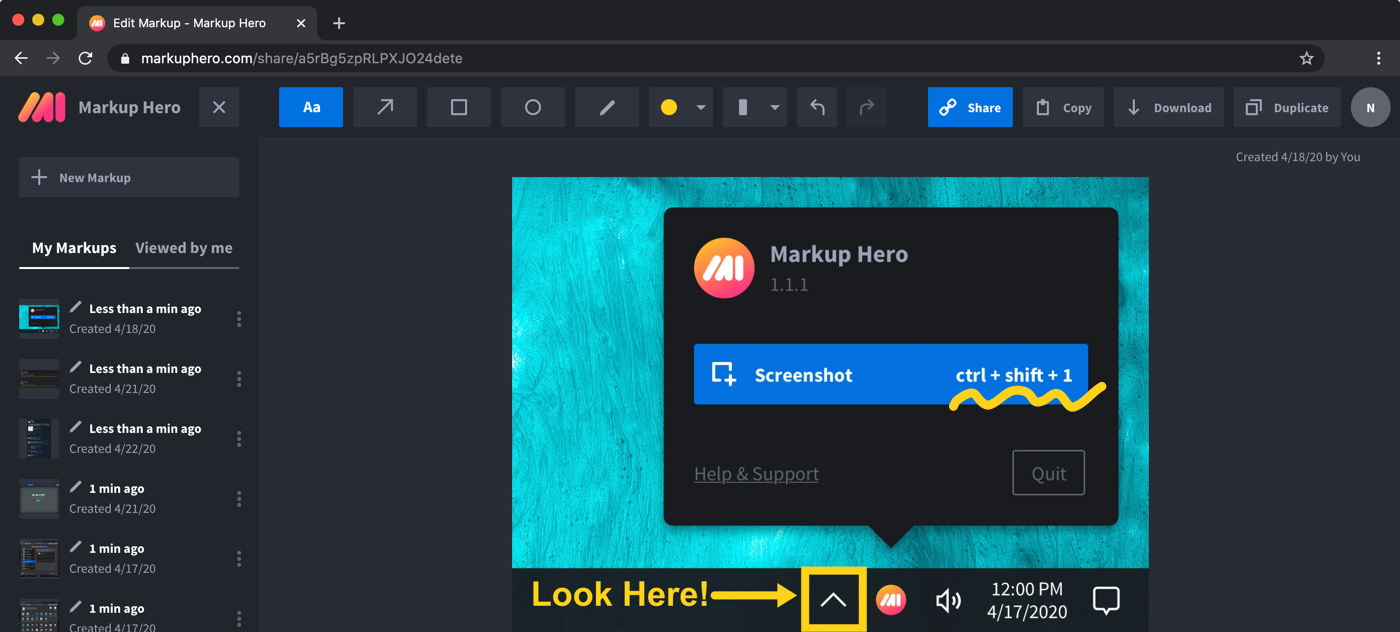
Step by step
Add the Markup Hero Chrome extension
Open Chrome on your Mac and install the free Markup Hero Chrome extension. You can try the editor first at markuphero.com/new with no sign-up.
Open the page you want to capture
Go to the web page in Chrome. It can be much longer than your screen, such as an article, a long form or a search result list.
Capture the full scrolling page
Use the extension to take a full-page screenshot of the tab, so the whole page, top to bottom, becomes one image you can annotate in the Markup Hero editor.
Mark it up
Add arrows and text to point things out, use rectangles, ovals and the highlighter to mark areas, and crop what you do not need. Blur names, emails or numbers you want to keep private.
Share or save it
Copy the share link and paste it into an email, Slack or a text, where it shows a thumbnail preview. You can also copy the image to your clipboard, download a PNG or export a PDF.
What macOS gives you: Shift-Command-3, 4 and 5
Apple's guide to screenshots and screen recordings on a Mac lists these shortcuts. Screenshots save to your desktop by default. To copy one to the clipboard instead, hold Control as well, for example Control-Shift-Command-3.
- Shift-Command-3: capture the entire screen.
- Shift-Command-4: drag to capture a portion of the screen.
- Shift-Command-4, then the Space bar: click a window or the menu bar to capture it.
- Shift-Command-5: open the Screenshot app.
The Screenshot app and its options
Press Shift-Command-5, or find Screenshot in the Utilities folder of your Applications folder. Its tools capture the entire screen, a window or a portion of the screen, and record the same three as video. The Options menu sets a timer, picks where files are saved and shows or hides the mouse pointer.
After a capture, a floating thumbnail appears in the bottom-right corner for a few seconds. Click it to mark up the screenshot or share it, or drag it straight into a document, an email or a Finder window.
Full-page capture of a web page with Markup Hero
Markup Hero's scrolling capture is for web pages, in Chrome or Firefox. The free Markup Hero Chrome extension takes a screenshot of any tab, including a full scrolling page. In the Markup Hero editor in your browser you can then add arrows, text, shapes, highlights and blur, crop it, and share it with a link.
Markup Hero also has a free Mac screenshot app with the shortcut Command+Shift+1. Each screenshot opens in the browser editor. Markup Hero has no Safari extension, and it does not record video; for a screen recording, use the Screenshot app. More on long captures in Chrome: scrolling screenshots.
Mac apps that list scrolling capture
If you need long captures from apps other than a browser, such as a chat, a document or code, these Mac apps list scrolling capture on their own sites. Prices are as of November 2026.
- CleanShot X: Mac only; its site says scrolling capture works in every app. CleanShot Basic is $35 once, for macOS 13.0 or newer. See Markup Hero vs CleanShot X.
- Snagit: for Mac and Windows; captures long scrolling windows or web pages and records video. $39.00 per user per year. See Markup Hero vs Snagit.
- Shottr: a small Mac app whose scrolling screenshots work in any app or window. Its maker says it is free to use, with occasional prompts to buy.
Frequently asked questions
What are the screenshot shortcuts on a Mac?
Shift-Command-3 captures the entire screen, Shift-Command-4 captures a portion, and Shift-Command-4 then Space bar captures a window. Shift-Command-5 opens the Screenshot app, which also records the screen. Add Control to any shortcut to copy the screenshot to the clipboard instead of saving it.
How do I screenshot a whole web page on a Mac?
Open the page in Chrome and use the Markup Hero Chrome extension to capture the full scrolling page. It opens in the editor, where you can annotate it and share a link or download it. Apps such as CleanShot X, Snagit and Shottr also list scrolling capture.
Can I take a scrolling screenshot in Safari with Markup Hero?
Markup Hero has no Safari extension, so its full-page capture works through the Chrome extension or the Firefox add-on. The Markup Hero editor itself works in Safari, so you can upload or paste a screenshot there and annotate it.
Can I capture a long chat or document in a Mac app, not a browser?
Markup Hero's scrolling capture is for web pages in Chrome or Firefox. CleanShot X says its scrolling capture works in every app, and Shottr says its scrolling screenshots work in any app and any window. Snagit lists scrolling windows as well as web pages.
Is Markup Hero free?
Yes. The Chrome extension and the Mac screenshot app are free, and the Basic plan is free forever with 25 markups, annotations editable for 24 hours and 8 MB uploads. Premium is $10/month or $3/month billed yearly, with unlimited markups and annotations that stay editable forever.
Where do Mac screenshots go?
By default they save to your desktop, named with the date and time. You can pick another folder in the Options menu of the Screenshot app.
Prices and features checked on November 12, 2026 on each product's own website: support.apple.com, support.apple.com, cleanshot.com, cleanshot.com, cleanshot.com, techsmith.com, techsmith.com, shottr.cc. Prices can change; check the vendor's site before you buy.
More comparisons: Markup Hero vs. other screenshot tools.
New and coming soon from Markup Hero
Photo reports are live in SuperHero plans, and two more tools are on the way. Join a waitlist to get early access.
Markup Hero for teams in: