Markup Hero vs. Snipping Tool
Snipping Tool is Microsoft's free screenshot app for Windows. It captures images and, on Windows 11, short video clips, and saves them straight to your PC. Markup Hero is an editor that runs in your web browser for screenshots, images and PDFs, which you share with a link from any device. Stay with Snipping Tool for quick captures and screen recording on Windows. Pick Markup Hero when you need share links, PDF markup, or the same tool on a Mac or Chromebook.
Try Markup Hero Free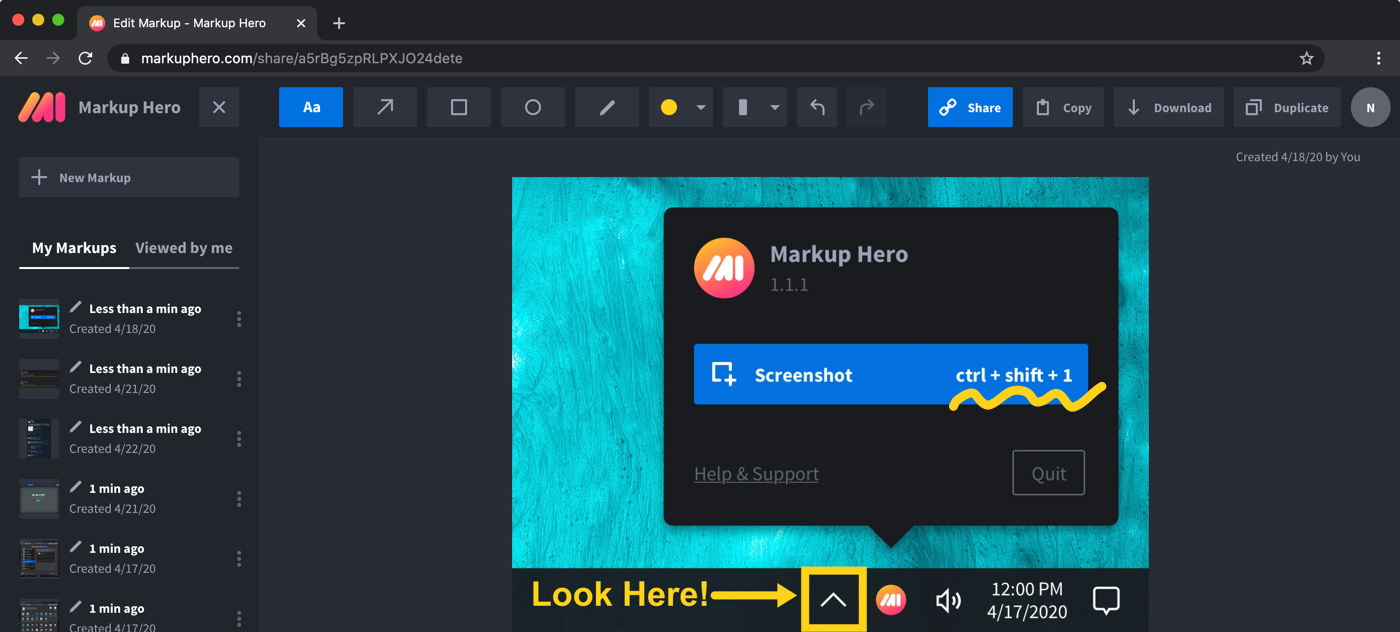
Markup Hero vs. Snipping Tool at a glance
Checked on November 8, 2026.
Which one should you choose?
Choose Markup Hero if
- You want to send a marked-up screenshot as a link that opens in any browser, with a thumbnail preview in email, Slack or SMS.
- You also mark up PDFs, including multi-page ones, or Google Docs, Sheets and Slides through the Google Drive app.
- You switch between Windows, a Mac, Linux or a Chromebook and want the same editor on all of them.
- You want the people you share with to add their own annotations to your markup.
Choose Snipping Tool if
- You are on Windows and want a free Microsoft app that you open from the Start menu or with Windows logo key + Shift + S.
- You need to record a short video of part of your screen, which Snipping Tool does on Windows 11.
- You want every capture saved to the Screenshots folder on your PC, with text recognition that runs on your own device.
- You want to hide email addresses and phone numbers in one click with Quick redact.
Pricing compared (as of November 2026)
Snipping Tool costs nothing. The Microsoft Store lists it as a free download for Windows, and Microsoft's help shows it opening from the Start menu.
Markup Hero has a free Basic plan with no credit card: 1 user, up to 25 markups, annotations editable for 24 hours and 8 MB per upload. Premium is $10/month, or $3/month billed yearly ($36/year), with unlimited markups, annotations editable forever and 50 MB per upload. Premium Teams is $4 per user per month billed yearly, and a Lifetime plan is $199 one-time. See Markup Hero pricing.
What Snipping Tool does well
Snipping Tool is quick to reach on Windows. Press Windows logo key + Shift + S for an image or Windows logo key + Shift + R for a video clip. You can snip a rectangle, a freeform shape, one window or the full screen, and delay a capture by 1 to 5 seconds to catch an open menu. Microsoft's guide to using Snipping Tool covers every option.
- Video snips: record a rectangular part of the screen on Windows 11, then open it in Clipchamp to edit it or add captions and audio.
- Markup: pen, highlighter, shapes, emojis, eraser and crop. For typed text, Microsoft points you to Edit with Paint.
- Text actions: copy text from a snip, or quick redact email addresses and phone numbers. Recognition runs locally on your device.
- Saving: every snip is saved to your Screenshots folder automatically.
Where Markup Hero is different
Markup Hero is built around sharing. Each markup gets a share link with a thumbnail preview, and you can choose custom sharing and privacy settings. People you share with can add their own annotations, or duplicate the markup to edit their own copy.
It also goes beyond screenshots. You can import multi-page PDFs, sign them and export them to PDF again, upload several images at once, and mark up Google Docs, Sheets and Slides from Google Drive. The editor runs in any modern browser, so it works the same on Windows, a Mac, Linux or a Chromebook.
Windows 10 and Windows 11 versions
Microsoft's Store listing says the new Snipping Tool is only available on Windows 11, and that on Windows 10 Snip & Sketch downloads instead. Microsoft's help for the Windows 10 version describes free-form, rectangular, window and full-screen snips with pen and highlighter markup. Video snips and Text actions are described for Windows 11.
Using both together
You do not have to choose only one. Take a snip on Windows as usual, press Ctrl + C to copy it, then paste it into the Markup Hero editor when you need arrows, blur or a share link. Pasted screenshots can become new pages in one markup, so a few snips turn into a single link. Markup Hero's free Windows app also captures straight into the editor with Ctrl+Shift+1.
Frequently asked questions
Is Snipping Tool free?
Yes. The Microsoft Store lists Snipping Tool as a free download for Windows. Markup Hero also has a free Basic plan with up to 25 markups and no credit card, and you can try it now without an account.
Can Snipping Tool record my screen?
Yes, on Windows 11. A video snip records a rectangular part of the screen, and you can open the clip in Clipchamp to add captions or audio. Markup Hero does not record video of any kind, so keep Snipping Tool for that.
Is there a Snipping Tool for Mac or Chromebook?
Snipping Tool is a Windows app. On a Mac, Markup Hero has a free desktop screenshot app (Command+Shift+1) that opens each capture in the browser editor. On a Chromebook, the free Chrome extension and the browser editor work in Chrome with nothing else to install.
How do I share a screenshot as a link instead of a file?
Snipping Tool shares through the Windows Share menu under See More. Markup Hero gives every markup a share link with a thumbnail preview for email, Slack, SMS or social, plus custom sharing and privacy settings.
Can I annotate a PDF with Snipping Tool?
Microsoft's help for Snipping Tool covers screen snips and video clips, not opening PDFs. Markup Hero imports multi-page PDFs, lets you add text, arrows, highlights and signatures, and exports the result as a PDF. See how to annotate a PDF.
Does Markup Hero work offline like Snipping Tool?
No. The Markup Hero editor runs in your browser and needs an internet connection, and the desktop apps open each screenshot in that browser editor. If you often work without a connection, Snipping Tool, which saves snips to your PC and recognizes text on your device, is the better fit.
Prices and features checked on November 8, 2026 on each product's own website: apps.microsoft.com, support.microsoft.com. Prices can change; check the vendor's site before you buy.
More comparisons: Markup Hero vs. other screenshot tools.
New and coming soon from Markup Hero
Photo reports are live in SuperHero plans, and two more tools are on the way. Join a waitlist to get early access.
Markup Hero for teams in: