Markup Hero vs Nimbus Capture
Both tools take screenshots in the browser and let you annotate and share them. The biggest difference is video: Nimbus Capture also records your screen with your microphone and webcam, and Markup Hero does not record video at all. Pick Nimbus Capture if you send screen recordings. Pick Markup Hero if you mainly mark up screenshots, images and PDFs and want a free plan you can try with no account.
Try Markup Hero Free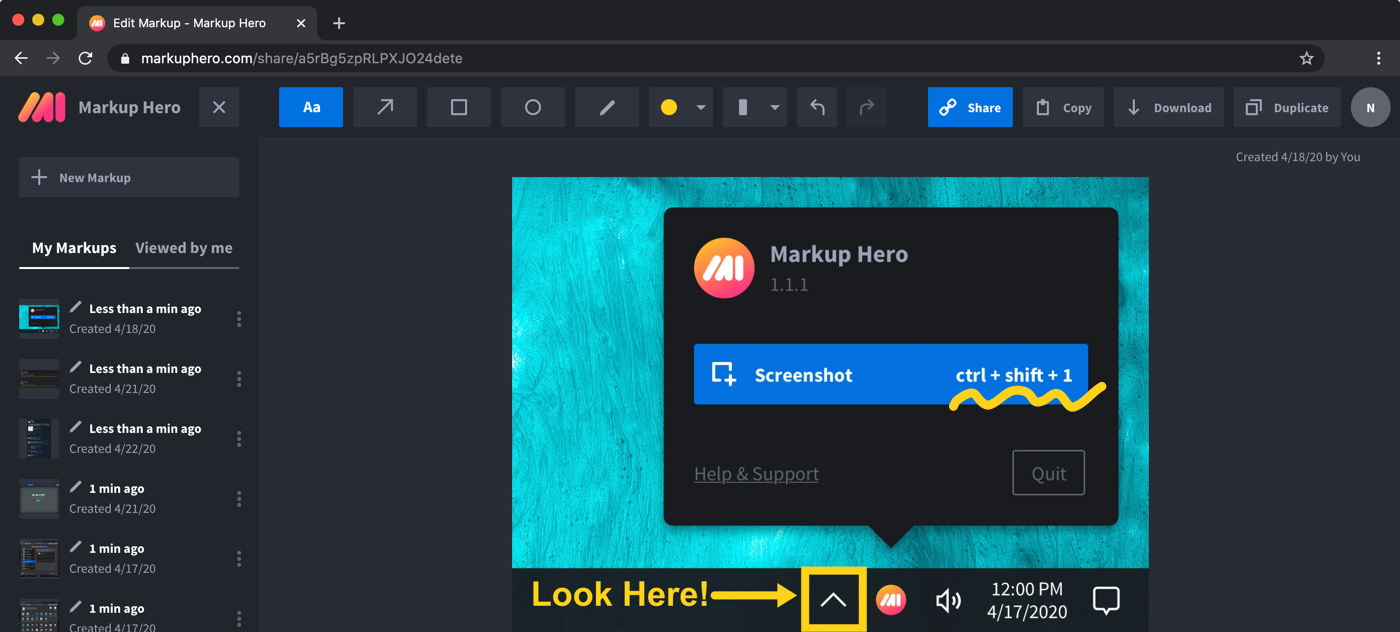
Markup Hero vs. Nimbus Capture at a glance
Checked on November 8, 2026.
Which one should you choose?
Choose Markup Hero if
- You want to start right away in the browser with no account and no credit card.
- You annotate PDFs and multi-page documents, sign PDFs, or mark up Google Docs, Sheets and Slides from Google Drive.
- You use a Mac or Linux computer and want a desktop screenshot shortcut that opens straight into the editor.
- You want a simple published price: $3/month billed yearly, $10/month, or $199 once.
Choose Nimbus Capture if
- You need screen recording with your voice and webcam, which Markup Hero does not offer.
- You want to trim videos, add watermarks and export MP4 or GIF files.
- You want password-protected share links and uploads to Slack, YouTube, Google Drive and Dropbox from one tool.
- Your team wants screenshots and recordings inside a shared workspace with comments, chat and tasks.
What each tool is
Markup Hero is a screenshot and annotation tool that runs in your web browser. You take a screenshot or upload an image or PDF, add arrows, text, shapes, highlights or blur, and share it with a link. It has free desktop screenshot apps for Mac, Windows and Linux (beta), a Chrome extension, a Firefox add-on and a Google Drive app.
Nimbus Capture is a screenshot and screen video recorder from Nimbus Web Inc., the company behind FuseBase. Its page now lives on the FuseBase site. It offers Chrome and Edge extensions and, according to its release notes, a desktop version for Windows.
Pricing compared (as of November 2026)
Markup Hero publishes all of its prices on its pricing page. Nimbus Capture has a free version and a paid Pro plan. Its screenshot page explains the recording limits, but the Pro price is not written on that page, so check the current price on the Nimbus site before you buy.
- Markup Hero Basic: $0. 1 user, 25 markups, annotations editable for 24 hours, 8 MB per upload.
- Markup Hero Premium: $10/month, or $3/month billed yearly ($36/year). Premium Teams: $4 per user per month, billed yearly. Lifetime: $199 one-time.
- Nimbus Capture free version: screen recordings up to 5 minutes long.
- Nimbus Capture Pro: longer recordings. Its screenshot page says up to 10 hours, and its order page lists unlimited recording length as a Pro feature.
What Nimbus Capture does better
Video is the clear difference. Nimbus Capture records your screen and can add your microphone and webcam, so you can talk someone through a problem. You can trim and crop a video right after recording, add watermarks, change playback speed and export in MP4 or GIF format. Markup Hero has no screen recording or video capture of any kind.
Nimbus Capture also leans into sharing and teamwork: password-protected sharing, uploads to Slack, YouTube, Google Drive and Dropbox, branded links, and comments, chat and tasks for teams.
Where Markup Hero fits better
Markup Hero is built around marking up still images and documents. You can import a multi-page PDF, upload several images at once, sign PDFs, and export your work back to a multi-page PDF. The Google Drive app lets you mark up Google Docs, Sheets, Slides, images and PDFs from Drive, and the Magic tool copies text out of a screenshot or PDF.
On Mac, Windows or Linux, the free desktop app gives you a screenshot shortcut (Command+Shift+1 on a Mac, Ctrl+Shift+1 on Windows) that opens each capture in the browser editor. You can try it now with no account.
What Markup Hero does not do
To be clear about the limits: Markup Hero has no screen recording or video capture, no offline desktop editor (editing happens in the browser and needs an internet connection), no native iPhone, iPad or Android app (the editor works in mobile browsers), and no Safari extension. If you need to send screen recordings, Nimbus Capture covers that and Markup Hero does not.
Frequently asked questions
Is Nimbus Capture free?
Nimbus Capture has a free version. Its own page says free users can record videos up to 5 minutes long, and the Pro plan allows recordings up to 10 hours. Markup Hero's Basic plan is also free, with 25 markups, and you can start at markuphero.com/new without an account.
Is Nimbus Capture the same as FuseBase?
Not exactly. Nimbus Capture is made by Nimbus Web Inc., and FuseBase is another Nimbus Web product. The Nimbus Capture page now sits on the FuseBase website.
Can Markup Hero record my screen?
No. Markup Hero has no screen recording or video capture of any kind. It takes screenshots, including full-page scrolling screenshots with the Chrome extension, and annotates screenshots, images and PDFs. For screen recordings with voice and webcam, Nimbus Capture is the one of these two that does it.
Which one works on a Mac?
Markup Hero has a free desktop screenshot app for Mac, Windows and Linux (beta), and its editor runs in any modern browser. Nimbus Capture offers Chrome and Edge browser extensions, which you can use on a Mac, and its release notes mention a desktop version for Windows.
Can I use either one on a Chromebook?
Markup Hero works on a Chromebook through its Chrome extension and the browser editor, so nothing else has to be installed. Nimbus Capture offers a Chrome extension, which runs in Chrome.
Are share links private?
Markup Hero has custom sharing and privacy settings for your share links, and people you share with can add their own annotations. Nimbus Capture lists password-protected sharing among its sharing features.
Prices and features checked on November 8, 2026 on each product's own website: thefusebase.com, thefusebase.com, app.nimbusweb.me. Prices can change; check the vendor's site before you buy.
More comparisons: Markup Hero vs. other screenshot tools.
New and coming soon from Markup Hero
Photo reports are live in SuperHero plans, and two more tools are on the way. Join a waitlist to get early access.
Markup Hero for teams in: