Jing is retired: what to use now
Jing is no longer available. TechSmith says TechSmith Capture, the later name for Jing, is retired and no longer supported on Windows or Mac. If you used Jing for quick screenshots with arrows and a link to send, Markup Hero does that for free in any browser. If you used Jing to record short screen videos, Markup Hero does not record video, and TechSmith's free Camtasia online or paid Snagit is the better fit.
Try Markup Hero Free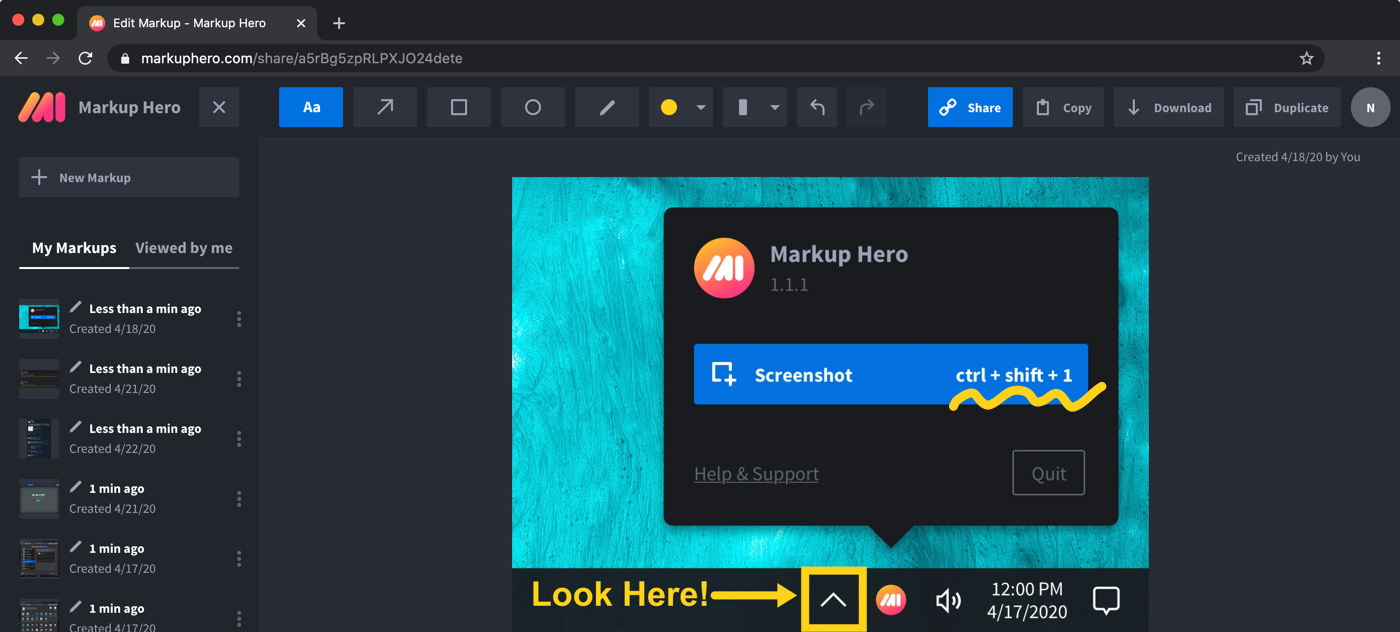
Markup Hero vs. Jing at a glance
Checked on November 8, 2026.
Which one should you choose?
Choose Markup Hero if
- You mostly used Jing to grab a screenshot, point at something with an arrow or text, and send it.
- You want a free plan and would rather not install anything: you can try Markup Hero now with no account.
- You work on a Chromebook, or switch between Windows, Mac and Linux computers.
- You also need to mark up PDFs, Google Docs, Sheets or Slides, not only screenshots.
Choose Snagit or Camtasia online if
- You used Jing to record short screen videos: Camtasia online is free and runs in your browser.
- You want the tool TechSmith itself points former Jing users to, which is Snagit.
- You want a full desktop app on Windows or Mac with scrolling capture, video recording with audio and a capture library.
What happened to Jing?
Jing was TechSmith's free tool for quick screenshots and short screen recordings. TechSmith later renamed it TechSmith Capture, and that product is now retired too. Its old Jing page now opens TechSmith's capture tools page, which says plainly that TechSmith Capture and Jing are no longer available and that TechSmith Capture is no longer supported on Windows or Mac. The separate audio capture component is no longer needed either, because Snagit and Camtasia have built-in audio recording.
So if Jing stopped working for you, or you cannot find a download, that is why. Your choice now depends on what you used it for: still images you mark up and send, or short videos.
What TechSmith offers instead
TechSmith points screenshot and annotation users to Snagit, and says Snagit includes everything Jing and Capture offered, plus scrolling capture, advanced annotation, video recording with audio and an organized library. Snagit is a desktop app for Windows 10 and 11 and macOS 14 or later.
For free video, TechSmith points to Camtasia online, a screen recorder that runs in the browser with no download. TechSmith says it is completely free with no watermark and records your full screen, a window or a browser tab at 1080p. Recordings are limited to 5 minutes per scene, but you can add unlimited scenes to one video and share a link through Screencast.
Pricing compared (as of November 2026)
Markup Hero has a free Basic plan with no credit card: 1 user, up to 25 markups, annotations editable for 24 hours and files up to 8 MB. Premium is $10/month, or $3/month billed yearly ($36/year), with unlimited markups, annotations editable forever and 50 MB uploads. Premium Teams is $4 per user per month on an annual plan, and Lifetime is $199 one-time. See Markup Hero pricing.
On TechSmith's Snagit store page, Snagit Individual is $39.00 per user per year, billed yearly, and Snagit is included in all Camtasia plans. Camtasia online costs nothing.
Where Markup Hero fits for former Jing users
Markup Hero covers the screenshot half of what Jing did. Take a screenshot with the free desktop app for Mac, Windows or Linux (beta), or with the Chrome extension, which also takes scrolling screenshots. Each capture opens in the editor in your browser, where you add arrows, text, shapes, highlights and blur, then share a link with a thumbnail preview.
- Mark up multi-page PDFs, images, Google Docs, Sheets and Slides, and sign PDFs.
- People you share with can add their own annotations to your markup.
- Download a PNG, copy to the clipboard, or export a multi-page PDF.
- Get the desktop apps and browser add-ons on the download page.
What Markup Hero does not do
Markup Hero does not record your screen or webcam in any form, so it cannot replace Jing's video side. There is no offline desktop editor: the capture apps send each screenshot to the editor in your browser, which needs an internet connection. There is also no native iPhone, iPad or Android app, although the editor works in mobile browsers. If any of these matter most to you, Snagit or Camtasia online is the closer match.
Frequently asked questions
Can I still download Jing?
No. TechSmith says TechSmith Capture and Jing are no longer available, and that TechSmith Capture has been retired and is no longer supported on Windows or Mac. TechSmith recommends Snagit for screen capture, or Camtasia online for free browser-based video recording.
Is TechSmith Capture the same as Jing?
Yes. TechSmith describes TechSmith Capture as previously known as Jing, a free screen capture and recording tool. Both are now retired.
What is a free replacement for Jing?
For screenshots you mark up and share, Markup Hero has a free plan with 25 markups and share links, and you can try it without an account. For free screen video, TechSmith offers Camtasia online in the browser, with recordings limited to 5 minutes per scene.
Does Markup Hero record video like Jing did?
No. Markup Hero is for screenshots, images and PDFs only. It has no screen, audio or webcam recording.
Does Markup Hero work on a Chromebook?
Yes. The Chrome extension and the browser editor both work in Chrome on a Chromebook, so nothing else needs to be installed.
Who can see my Markup Hero share links?
Markup Hero has custom sharing and privacy settings, so you decide how each markup is shared. People you share with can view it and add their own annotations, and anyone can duplicate a shared markup to edit their own copy.
Prices and features checked on November 8, 2026 on each product's own website: techsmith.com, techsmith.com, techsmith.com, techsmith.com. Prices can change; check the vendor's site before you buy.
More comparisons: Markup Hero vs. other screenshot tools.
New and coming soon from Markup Hero
Photo reports are live in SuperHero plans, and two more tools are on the way. Join a waitlist to get early access.
Markup Hero for teams in: